
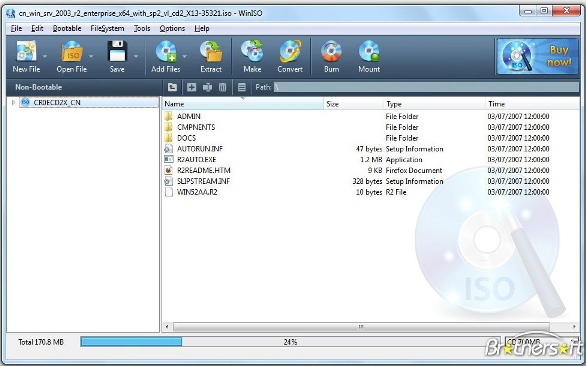
WinISO is a comprehensive tool which provides everything you need to create, edit and convert disc images. If you’ve an image file already, for instance (ISO, CUE/ BIN, NRG, MDF, CCD, IMG and DVD formats are supported) then you can open it in a click or two, browse the image contents, and extract the files you need with a quick drag and drop. It’s just as easy to create new ISO9660, UDF, even HFS+ images. Just choose the option you need, then either manually build up your preferred file and folder structure; drag and drop your files and folders from Explorer onto the program; or create an image directly from a CD, DVD or Blu-ray disc. [advt]WinISO program has full support for reading and creating bootable image files. A simple conversion tool makes it easy to convert disc images into the format you need. And the program can even mount ISO files as Explorer files, or burn images to disc when you’re ready to save them.

Exclude
Soda 3D PDF Reader – Tool that Help to View PDF Files
Soda 3D PDF Reader is a tool that designed to help you view PDF files. But if you’ve already tried more than enough of these, keep reading – this one has a couple of twists which means it stands out from the competition. It create PDF documents from Word, Excel & 300+ formats. […]
Exclude
Automatically Move the Files using Limagito Filemover
Limagito filemover is free software that used for automatic moving of files. It can move, delete or copy files that are added to a specific folder. You can set file and directory filters based on the file name, date and size. Also rename, encrypt or decrypt files and rename […]
Exclude
WikidPad – Download Wiki-Like Text Editor
WikidPad is a wiki-like text editor which enables you to not only records your thoughts, but also to organize them into topics and link everything together. Just opening the program gives you a very good idea of how powerful this can be, as WikidPad’s help is presented in a wiki. […]
Be the first to comment