
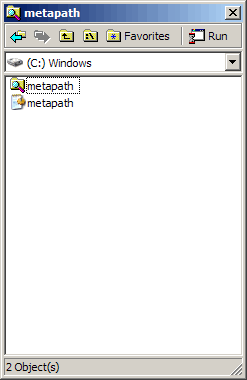
Metapath is designed to be a slim file browser, set to open every file with the same application (i.e. a text editor). You can, however, change this setting so that each file opens with its Windows default application, or you can right-click on a file to choose the set application.[advt] Simple file manager actions are provided (copy, move, create link, rename, delete, save as…) along with the ability to set a filter and sort by name, file-type, size, or date.

Free Software
A43 – Free File Managing Software for Windows
A43 is a free software file management utility for Windows. It has integrated text editor with unlimited size. Dynamic high lighting for the web. Integrated zip/unzip features. Simply drag-n-drop files or clicks a button. You can also turn your zip archives into self-extracting […]
Free Software
Download LookDisk Fast Search Tool – Search for Text in Files
LookDisk is a very fast and effective search tool that supports searching with specific parameters inside or outside archives, search for text in files (files inside archives are also supported), search for duplicate files and showing disk overview. A very handy utility to have […]
Free Software
Space – Overview of Free Disk Space on Partitions
Space gives you an overview of the free disk space on selected partitions. It supports network drives and customizable appearance. This application gives you a nice overview of the free disk-space on selected partitions. Included with Space is a plugin which shows the foldersize […]
Be the first to comment