To delete a post or story written by you, from your Wall, follow these steps:
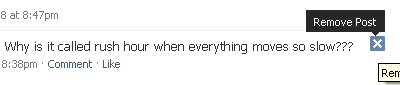

To delete a post or story written by you, from your Wall, follow these steps:

FlipToast is the desktop application for Facebook which provides a very interactive user interface to interact with all your friends on Facebook. No need to have a browser window opens to interact with your friends and family. It notifies users every time there is an update […]
Live Life More Foundation launched the unique programme of sending free SMS tips to help people who want to quit chewing tobacco or smoking but are finding it hard to drop the addiction. Anyone can enrol himself or his relative in this programme by sending an SMS by typing My Life followed by mobile number to 56677. […]
uProtect.it is a free tool that allows you to protect your comments and status updates, even preventing Facebook from accessing them. By using it, you can ensure that only your friends can read your comment or post, no matter where on Facebook you happen to post it […]
Copyright © 2024 | MH Magazine WordPress Theme by MH Themes
Be the first to comment